Jo Anderssen
Product Coordinator
View all authors

Getting Started with Project Setup in DimensionIQ

· 6 min read
Jo Anderssen
Product Coordinator

Laying the Foundation: Understanding the DimensionIQ Hierarchy

Every accurate takeoff begins with a solid foundation. In DimensionIQ, that foundation is your project setup. While the tools for measuring are powerful, the real efficiency comes from how well your workspace is structured before you even take your first measurement.

Integrating DimensionIQ Within a Host Application

This example demonstrates how a project can be structured when DimensionIQ is integrated into a host application. In this setup, DimensionIQ operates as a specialized takeoff engine within the broader system, allowing users to perform measurements, calculations, and visual analysis without leaving the main application environment.

The host application manages core functionality such as project data, user interaction, and workflows, while DimensionIQ handles dimensioning, segment control, and takeoff logic. Data flows seamlessly between the two, ensuring that any measurements or changes made in DimensionIQ are immediately reflected in the overall project.

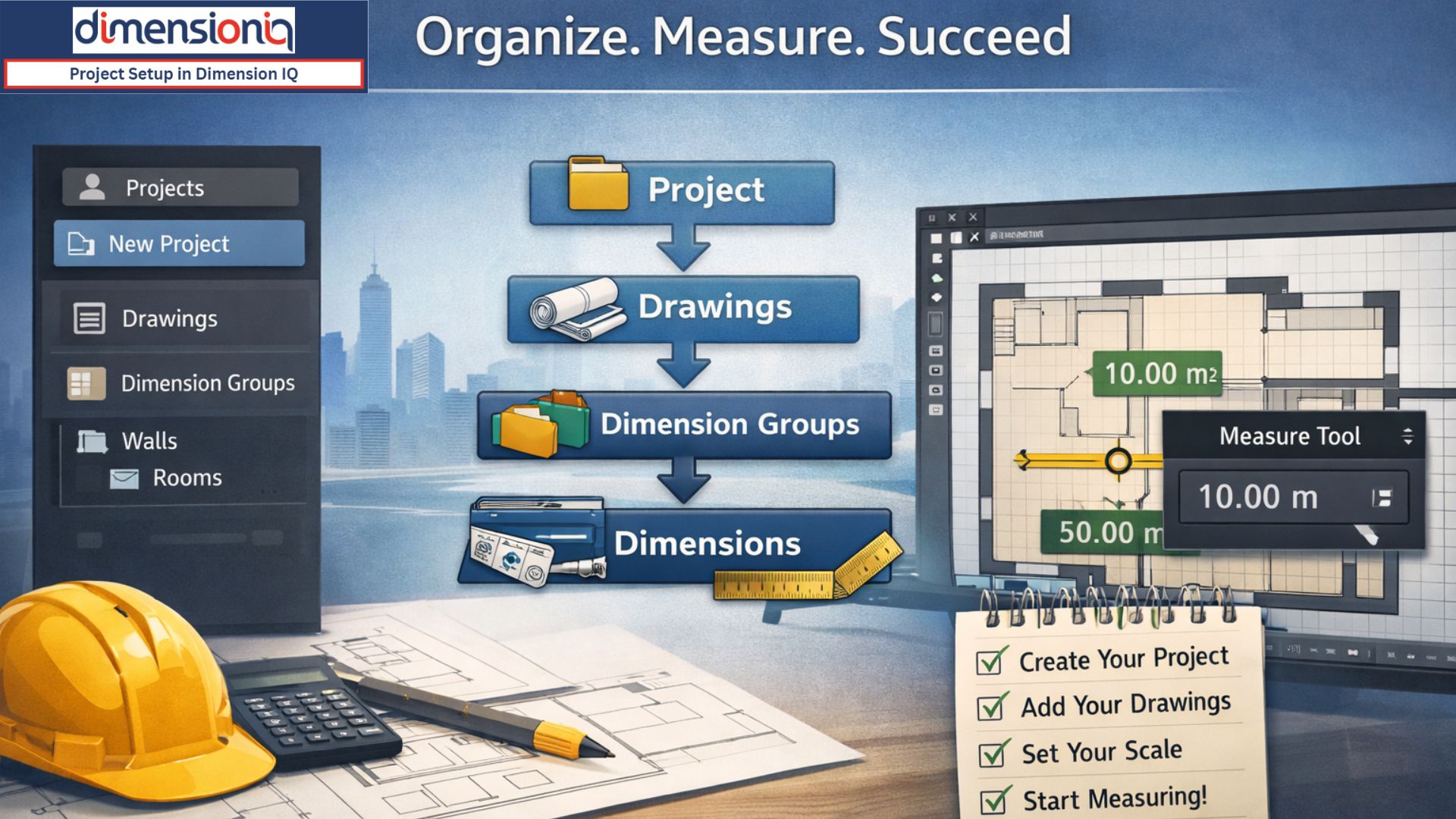
At its core, DimensionIQ follows a simple but effective hierarchy: projects contain drawings, drawings contain dimension groups, and dimension groups contain your measurements. Understanding this flow isn’t just helpful—it’s essential. It ensures that everything you measure has a place, and everything you create stays organised as your project grows.


Building Your Workspace

When you first enter DimensionIQ, the natural starting point is creating a project. Think of a project as your digital job folder. It’s where everything lives—your plans, your measurements, and ultimately your takeoff data. Since only one project can be open at a time, creating a new one sets the stage for the work ahead.

As you define your project, you’re not just naming it—you’re shaping how it will be used. Whether you add a project code, notes, or adjust the unit of measurement, these small details help tailor the environment to your workflow. It’s a simple step, but it establishes clarity right from the beginning.


Bringing Drawings to Life

Once your project exists, it’s time to introduce the drawings. These are the backbone of your takeoff—the plans you’ll be working from.

Adding a drawing is straightforward, but what’s powerful is how flexible it is. A single file can contain multiple pages or layouts, meaning you can manage entire plan sets within one place. This reduces clutter and keeps everything tied neatly to the same project context.

After uploading, your drawings become instantly accessible from the side panel.


Most construction drawings aren’t a single page—they’re a collection of layouts, each representing different aspects of a project. DimensionIQ handles this impeccably by allowing you to open multiple layouts at once.

Instead of constantly switching back and forth, you can move between tabs, compare plans, and maintain context as you work. It’s a small usability feature, but it makes a big difference when dealing with complex drawings.


Accuracy Starts with Scale

Before any measurements begin, there’s one critical step that should not be overlooked: verifying the scale.

Even when a scale is provided on a drawing, it’s always worth confirming. Using the Measure tool, you can quickly check whether the on-screen dimensions align with real-world values. This step ensures that everything that follows is accurate.

Once verified, applying the correct scale locks in that accuracy. From that point on, every measurement you take reflects true proportions, giving you confidence in your results.


Organising with Dimension Groups

With your drawings ready and scaled correctly, the next layer of structure comes into play: dimension groups.

If projects are your folders and drawings are your documents, then dimension groups are how you categorize your work within those documents. They allow you to organise measurements logically—by area, by trade, or by any structure that suits your workflow.

For example, you might group measurements under categories like walls, rooms, or specific building sections. This not only keeps your data tidy but also makes it far easier to review and extract information later.

Dimension groups also introduce flexibility in how measurements are interpreted and displayed. Whether you’re working with lengths, areas, or other values, you can control how that data is calculated and presented, giving you both precision and clarity.


Where It All Comes Together

Once everything is in place, measuring becomes the most natural part of the process.

Working directly on the drawing, you can begin capturing dimensions with simple point-and-click actions. As you do, DimensionIQ automatically organizes each measurement into its selected group, visually marking it on the drawing and listing it in the interface.

Features like cursor snapping enhance accuracy by locking onto key points such as edges and intersections, while tools for continuous measurement make it easy to trace perimeters or complex shapes without interruption.

What makes this stage so effective isn’t just the measurement tools—it’s the structure you’ve already built. Because your project, drawings, and groups are set up correctly, every measurement fits seamlessly into place.


The Bigger Picture

Project setup in DimensionIQ isn’t just a preliminary task—it’s what determines how smooth, accurate, and scalable your takeoff process will be.

By establishing a clear hierarchy, verifying your drawings, and organizing your measurements from the start, you’re not just preparing to measure—you’re setting yourself up to work efficiently and confidently.

And once that foundation is in place, everything that follows becomes faster, clearer, and far more powerful.



Understanding Takeoff Systems with DimensionIQ

· 4 min read
Jo Anderssen
Product Coordinator

How the DimensionIQ Takeoff System Transforms Measurements into Intelligence

DimensionIQ's construction takeoff system is the foundation of accurate estimating. It's how drawings, plans, and models are transformed into quantities that drive pricing, procurement, and project decisions.

Not all takeoff systems are created equal, the DimensionIQ Takeoff System goes beyond simple measurements. It turns takeoffs into structured, intelligent data that teams can trust, reuse, and scale across projects.


The Problem with Tradional Takeoffs

Traditional takeoffs rely heavily on manual processes:

  • Scale rulers and manual measurements
  • Disconnected spreadsheets
  • Repetitive rework when drawings change
  • High risk of human error

These methods are slow, fragile, and difficult to audit, especially as projects grow in complexity.


Enter the DimensionIQ Takeoff System

The DimensionIQ Takeoff System modernizes takeoffs by treating measurements as data, not just lines on a drawing.

Instead of drawing and recalculating endlessly, DimensionIQ allows teams to:

  • Create smart dimensions (length, area, count, volume)
  • Attach meaning and structure to every measurement
  • Store dimensions as reusable objects
  • Automatically recalculate quantities when plans change

Every takeoff becomes a reliable source of truth.


From Measurement to Measurement Intelligence

With DimensionIQ, takeoffs are no longer static.

Each dimension:

  • Knows what it represents (wall, slab, footing, etc)
  • Knows how it should be calculated
  • Can be reused across estimates and revisions
  • Can trigger workflows, updates, and integrations

Key Capabilities of the DimensionIQ Takeoff System

  • Smart 2D and BIM-based measurements
  • Structured, reusable dimension data
  • Fast updates when drawings change
  • Clean handoff to estimating and costing
  • Clear auditability and traceability

The result is faster takeoffs, fewer errors, and more confidence in every estimate.


Who is the DimensionIQ Takeoff System For?

  • Estimators and quantity surveyors
  • Contractors and subcontractors
  • Cost planners and project teams
  • Developers managing multiple projects

Anyone responsible for accuracy, speed, and consistency in estimating benefits from intelligent takeoffs.


Why a Smarter Takeoff System Matters

In construction, small errors can compound quickly. A missed measurement or outdated quantity can impact budgets, timelines, and margins. The DimensionIQ takeoff system helps teams:

  • Reduce estimating risk
  • Respond faster to design changes
  • Improve bid accuracy
  • Build repeatable, scalable, takeoff workflows

Takeoffs, Reimagined

A construction takeoff system should do more than measure, it should think!

With the DimensionIQ Takeoff System, takeoffs become a living dataset that evolves with your project, giving teams clarity, confidence, and control from first measurement to final estimate.


Smarter Takeoffs Built for the Cloud

· 2 min read
Jo Anderssen
Product Coordinator

DimensionIQ: Smarter Takeoffs, Built for the Cloud

Takeoffs shouldn't slow projects down or lock critical data inside static drawings. DimensionIQ brings modern, cloud-based intelligence to construction takeoffs, helping teams measure faster, collaborate better, and trust their numbers.


Measure Once, Use Everywhere

DimensionIQ goes beyond drawing lines and shapes. It transforms BIM and 2D information into intelligent, structured dimensions that stay connected to quantities and downstream takeoffs. Measurements become reusable data, not disposable markups.


One Platform for BIM and 2D

Projects rarely rely on a single source. DimensionIQ works seamlessly with both BIM models and 2D drawings, giving teams a consistent takeoff experience across formats, and a single source of truth for quantities.


Cloud-Native Collaboration

Because DimensionIQ runs in the cloud, your takeoff data is:

  • Always accessible
  • Always up-to-date
  • Easy to share and review

No installs. No file version headaches. Just real-time collaboration that keeps everyone aligned.


Faster Takeoffs, Fewer Errors

Structured dimensions reduce rework, eliminate duplicate measuring, and make design changes easier to manage. When drawings change, takeoff intelligence adapts, saving time and improving accuracy.


Takeoff Intelligence for Modern Construction

DimensionIQ isn't just digital takeoff software. It's a smarter way to turn design data into reliable quantities, built for today's connected, cloud-first construction workflows.


Creating New Dimensions in DimensionIQ

· 4 min read
Jo Anderssen
Product Coordinator

Creating New Dimensions in DimensionIQ: From Selection to Smart Takeoff

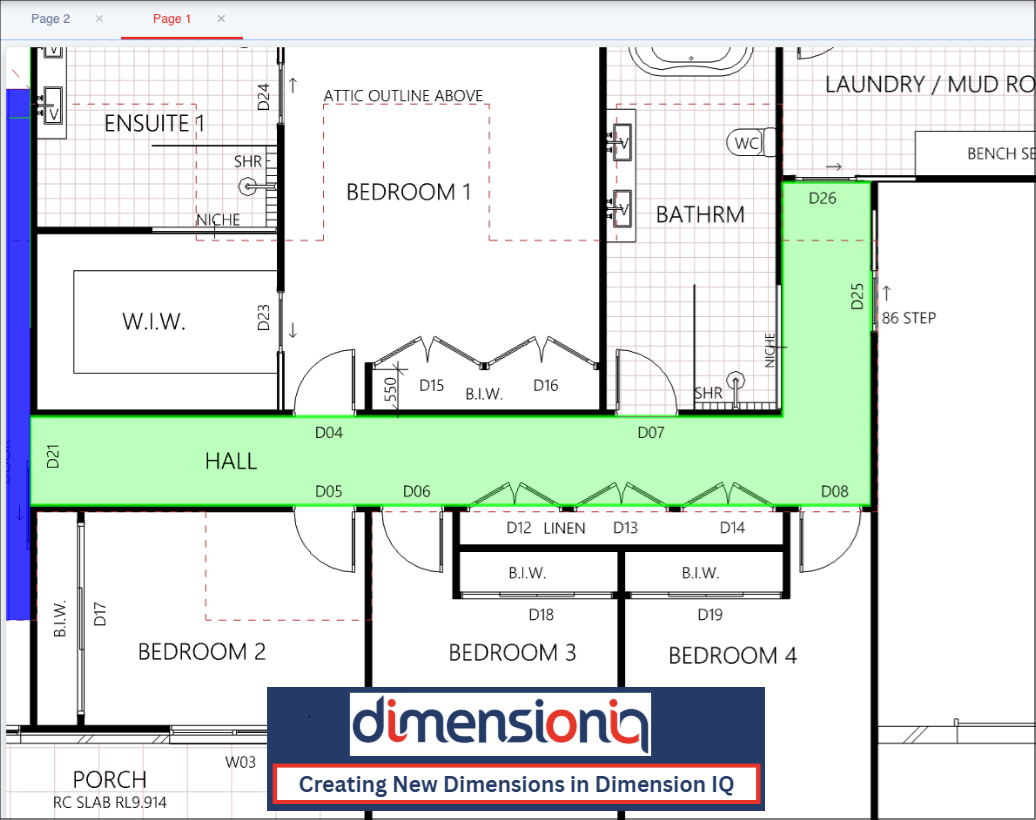
Dimensions go beyond simple lines on a page. They transform BIM and 2D geometry into structured measurement intelligence - data you can trust, reuse, and automate. The result is faster takeoffs, fewer errors, and quantities that stay connected to the design. This measureable intelligence can then be reused across takeoffs, reports, and downstream workflows, ensuring consistency and accuracy without re-measuring. By linking visual measurements directly to model data, teams can work faster, reduce manual effort, and trust that quantities stay aligned with the source design as it evolves.

DimensionIQ redefines what a dimension means - turning simple selections into intelligent, connected takeoff data that moves at the speed of modern construction.


One Selection, Infinite Insight

In DimensionIQ, everything starts with a click.

Select a BIM object, a 2D element, or a group of repeated components, and DimensionIQ immediately understands what you're working with. Geometry, properties, and relationships are captured in real time, no manual setup, no guesswork.

This is where measurement stops being manual and starts being intelligent.


Dimensions That Know What They Represent

Traditional dimensions give you numbers. DimensionIQ gives you meaning.

When you create a new dimension, you're defining intent:

  • Lengths that represent real-world assemblies
  • Areas tied to materials and finishes
  • Counts driven by actual model data

Each dimension is connected to the objects it measures, so it always knows what it's measuring and why it matters.


Built for Change, Designed for Speed

Design changes are inevitable. Rework doesn't have to be.

Because dimensions in DimensionIQ are data-driven, they update automatically as drawings and models evolve. Quantities stay aligned, takeoffs stay accurate, and your team stays focused on decisions, not corrections.

This is takeoff that keeps up with pace of design.


From Measurement to Smart Takeoff

Every dimension you create feeds seamlessly into smart takeoff workflows. This means:

  • Consistent quantities across 2D and BIM
  • Faster estimating with fewer manual checks
  • Greater confidence in every number you deliver

DimensionIQ transforms measurement into a living system, one that adapts, updates, and scales with your project.


Why DimensionIQ Changes the Game

With DimensionIQ, dimensions are no longer static lines on a page. They're intelligent building blocks that connect design intent directly to quantity and cost.

You move faster. You reduce risk. You trust your takeoff.


Measure Less, Know More

Creating new dimensions in DimensionIQ isn't just a feature, it's a smarter way to work.

From the first selection to the final takeoff, DimensionIQ turns, measurement into momentum.