Introduction
Project Dialog
Projects within the Takeoff platform can operate in two different modes depending on the host application configuration.
- Managed Projects - Projects are fully controlled within the Takeoff platform, allowing users to create, edit, and manage project information directly.
- Host-Driven Projects - Project management can be disabled and automatically controlled by the host application. In this mode, project information is supplied externally and may not be editable within the platform.
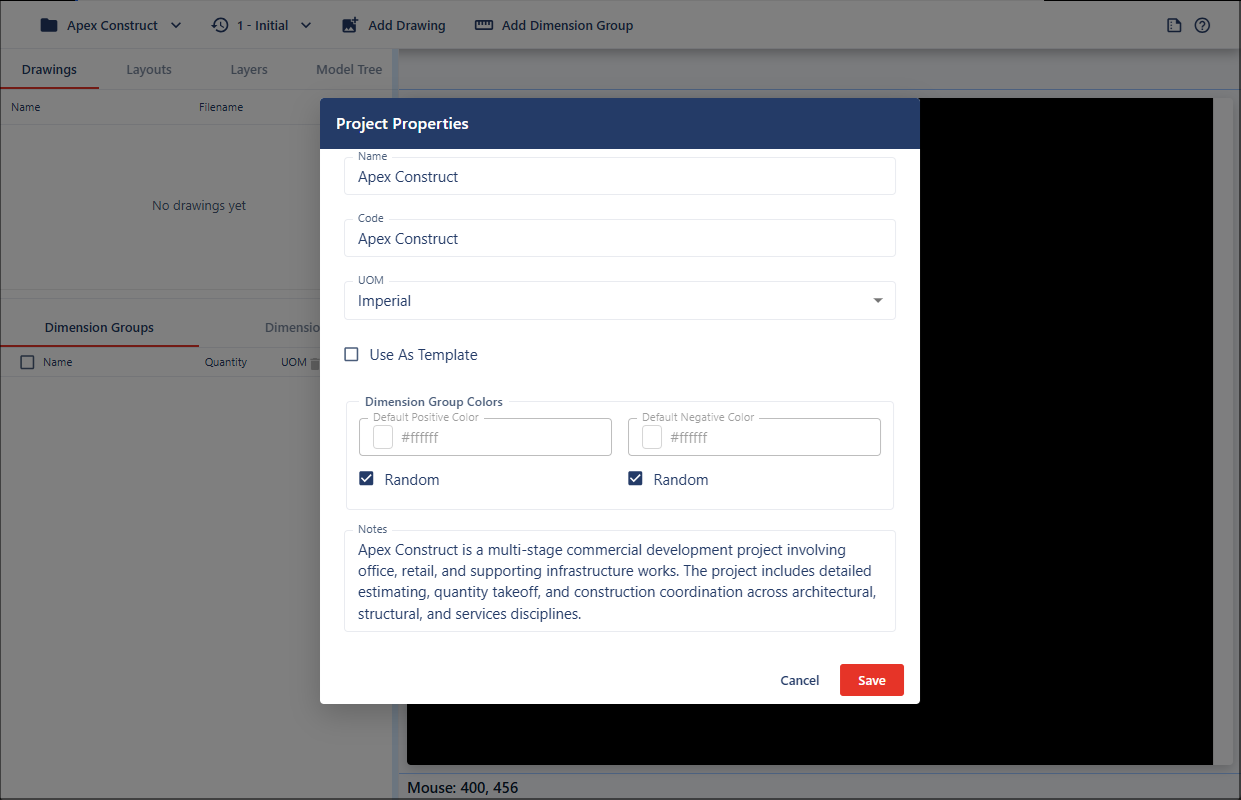
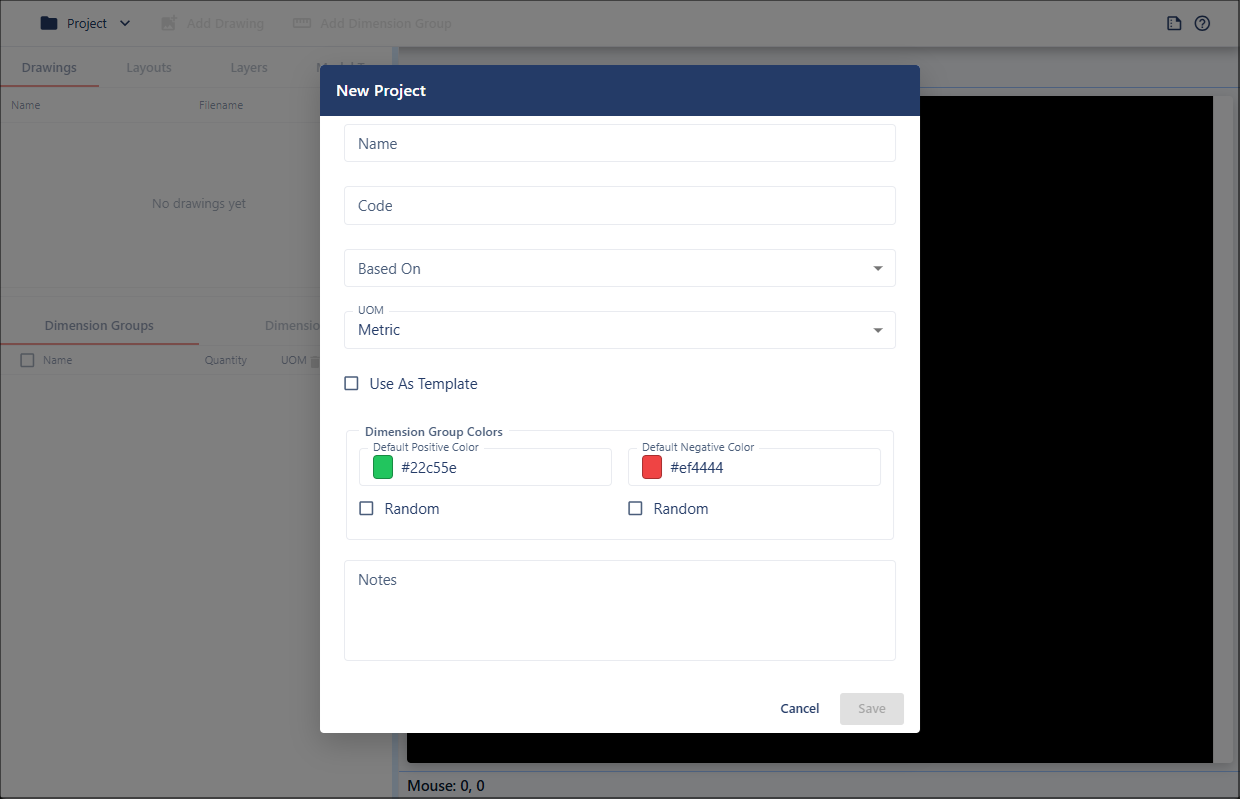
The Project dialog is used to create new projects, edit existing project details, and configure project-level settings within the Takeoff platform.
Users can define project information such as project name, project code, unit of measurement, notes, templates, and color settings for positive and negative values.
Only one project can be opened within the Takeoff platform at a time.
Opening the Project Dialog
With projects enabled in the platform, the Project Dialog can be opened in two modes:
- New Project - used to create a new project.
- Edit Project - used to edit an existing project.
When creating a new project, the dialog opens with default values.
When editing an existing project, all previously saved project information is automatically loaded.