Rotating
Rotating Drawings
Rotating drawings is commonly performed during the initial setup stage to correctly align plans before calibration and measurement are applied.
In this example, the drawing is not correctly aligned.
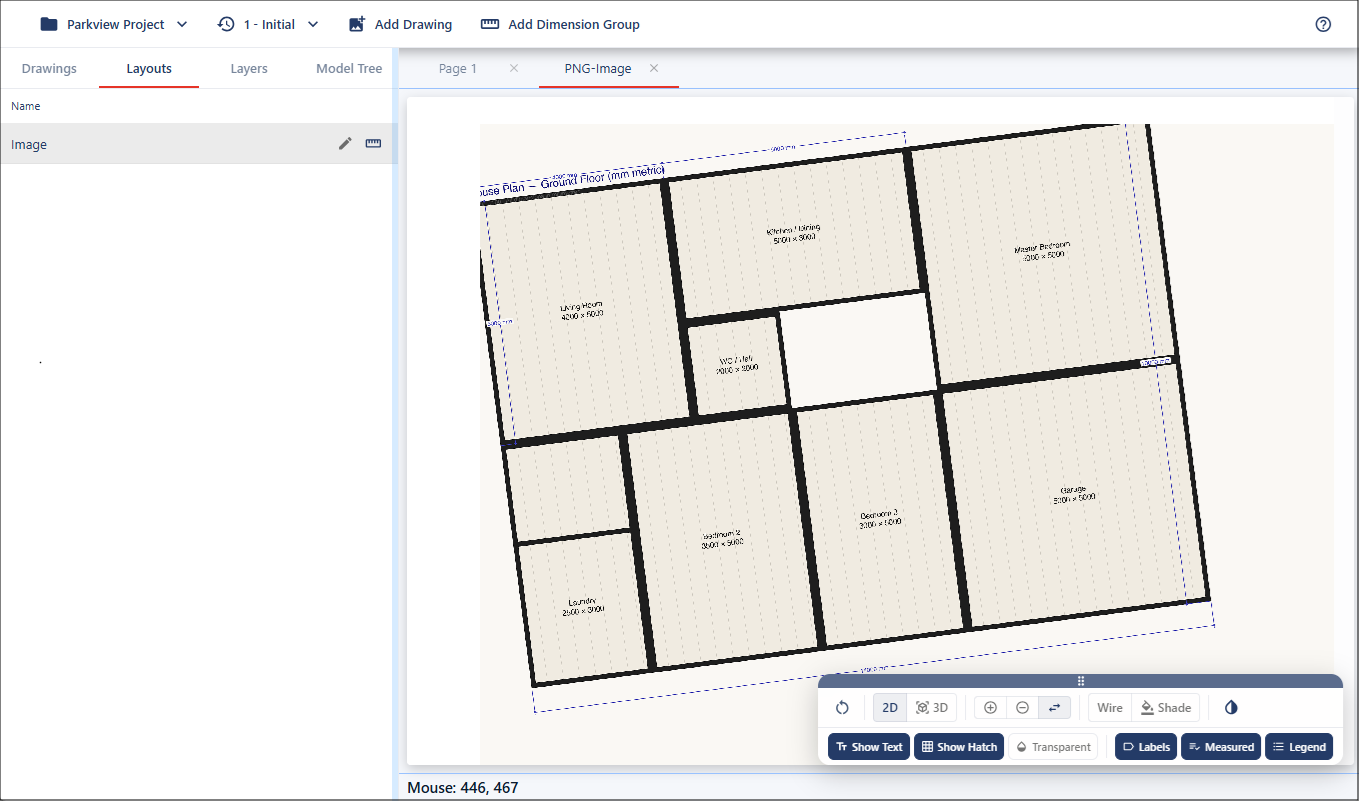
Figure 1 - Unaligned drawing
To correct this, zoom into a clearly defined straight line on the drawing, such as a known reference line. Right-click within the viewport, select Rotate, then choose Rotate to Line.
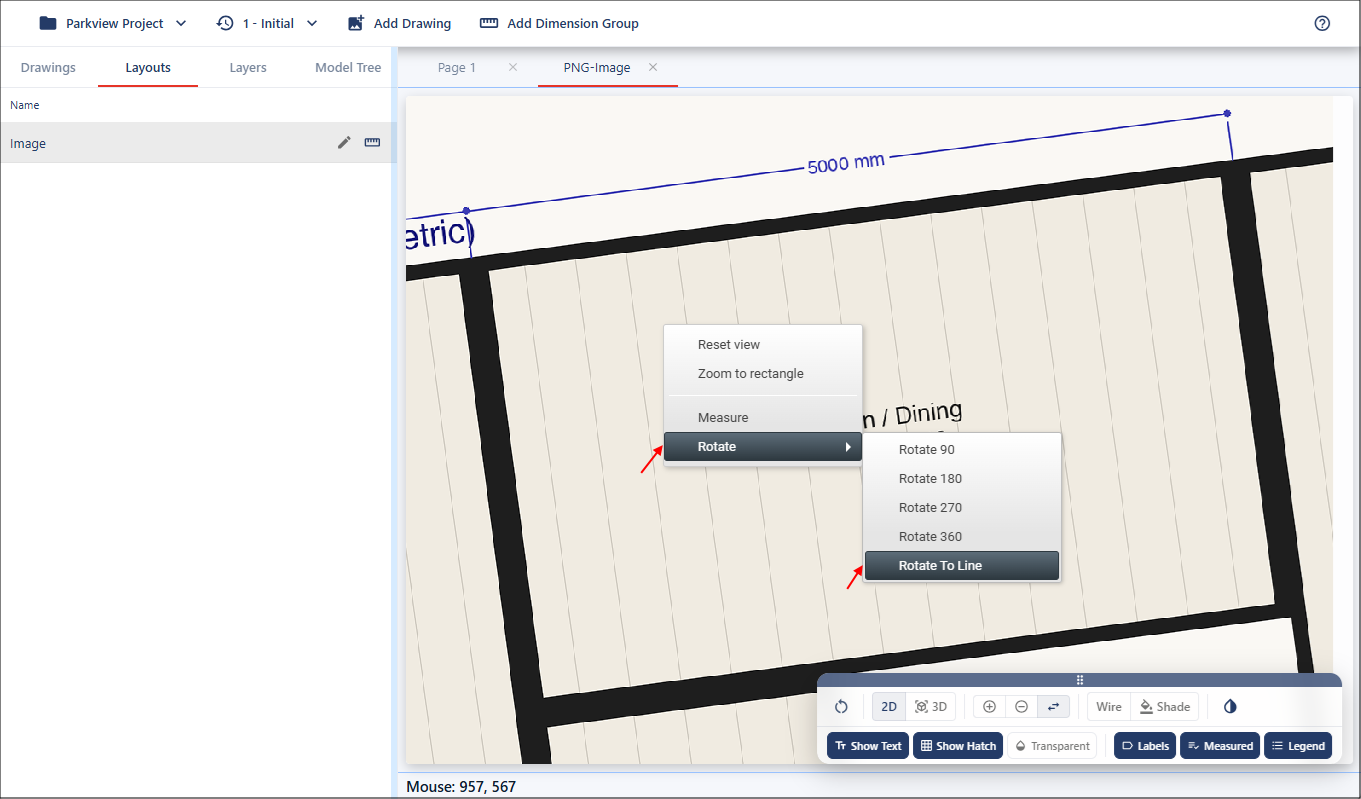
Figure 2 - Rotate tool
Next, move your cursor to the selected reference line, then left-click and hold. Slightly move your mouse to display a dotted guideline, which can be used to assist alignment.
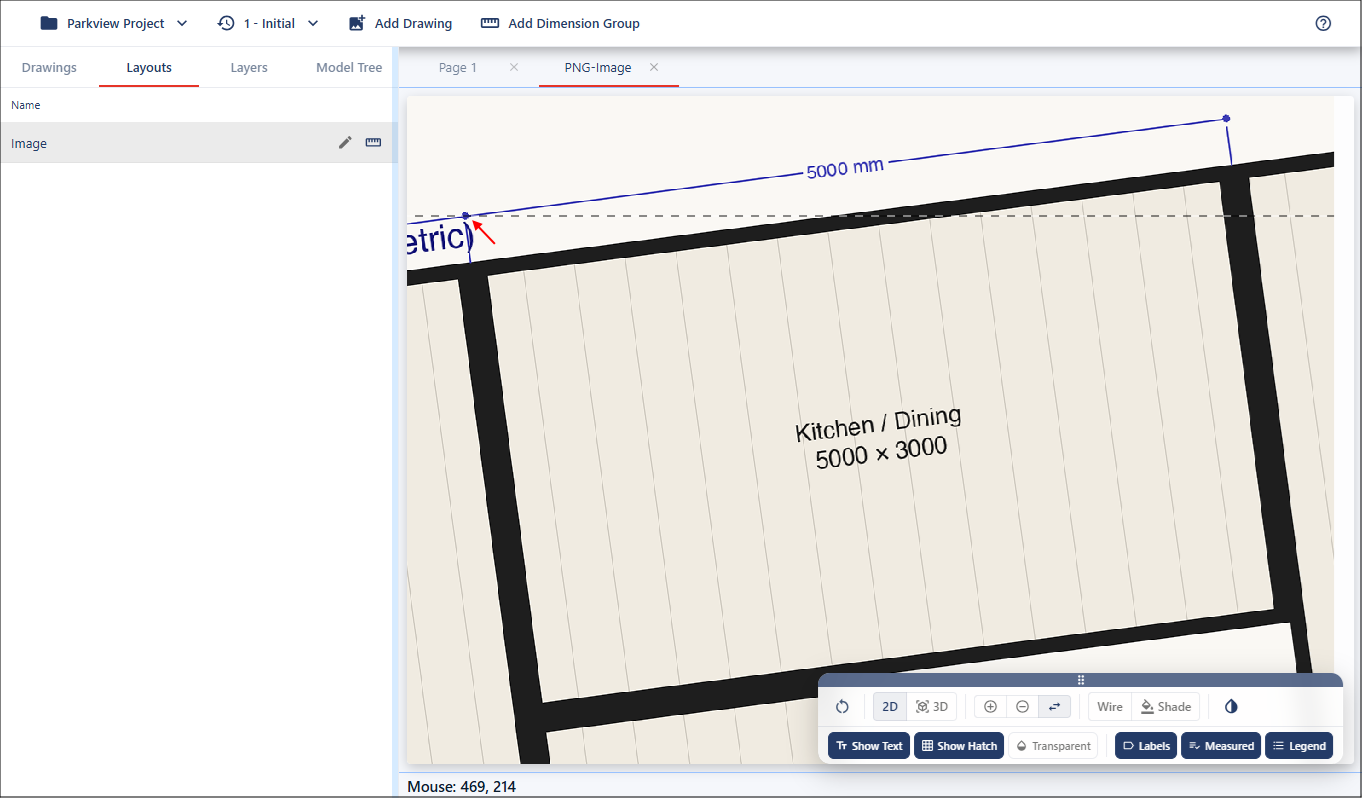
Figure 3 - Guideline
Continue adjusting until the drawing line and the dotted guideline are aligned. Release the mouse to apply the rotation.
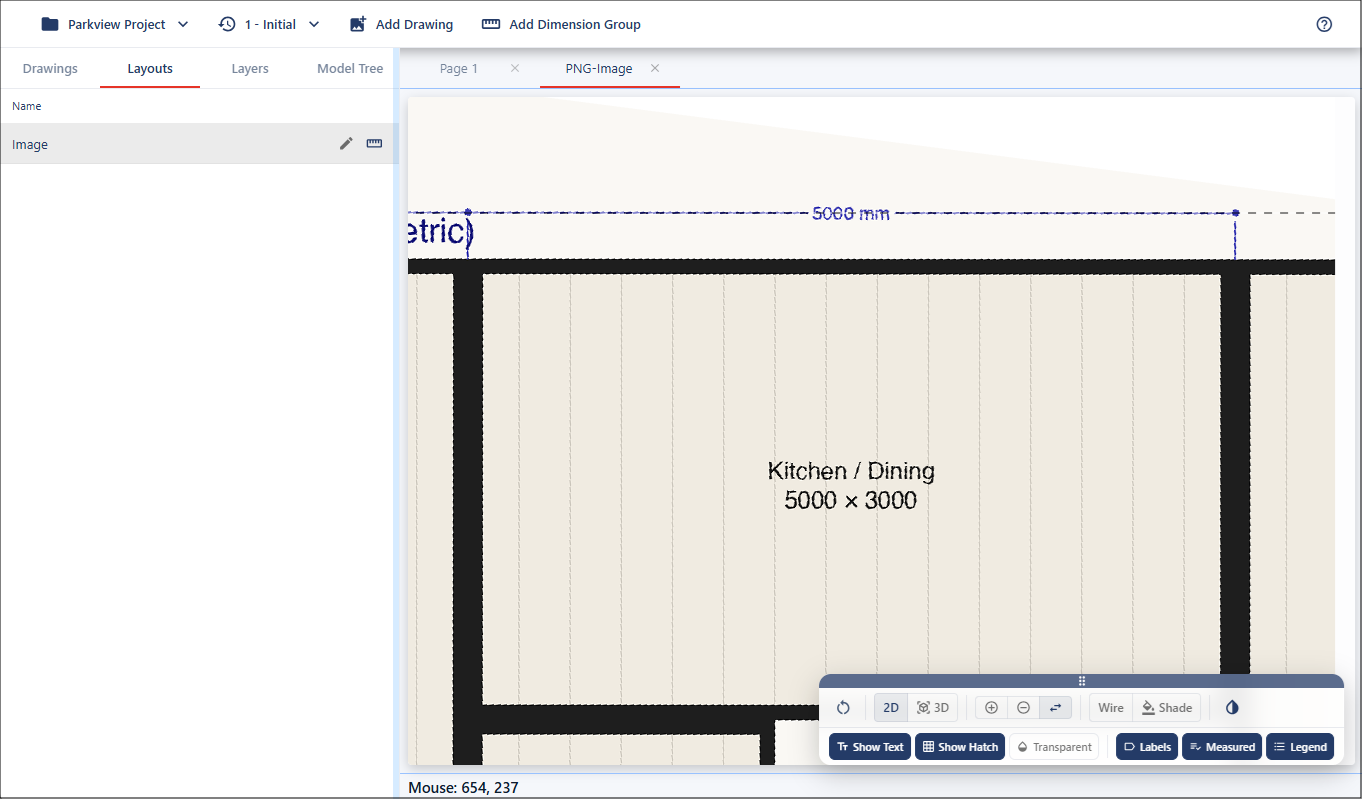
Figure 4 - Align drawing
The drawing is now correctly straightened and ready for calibration.
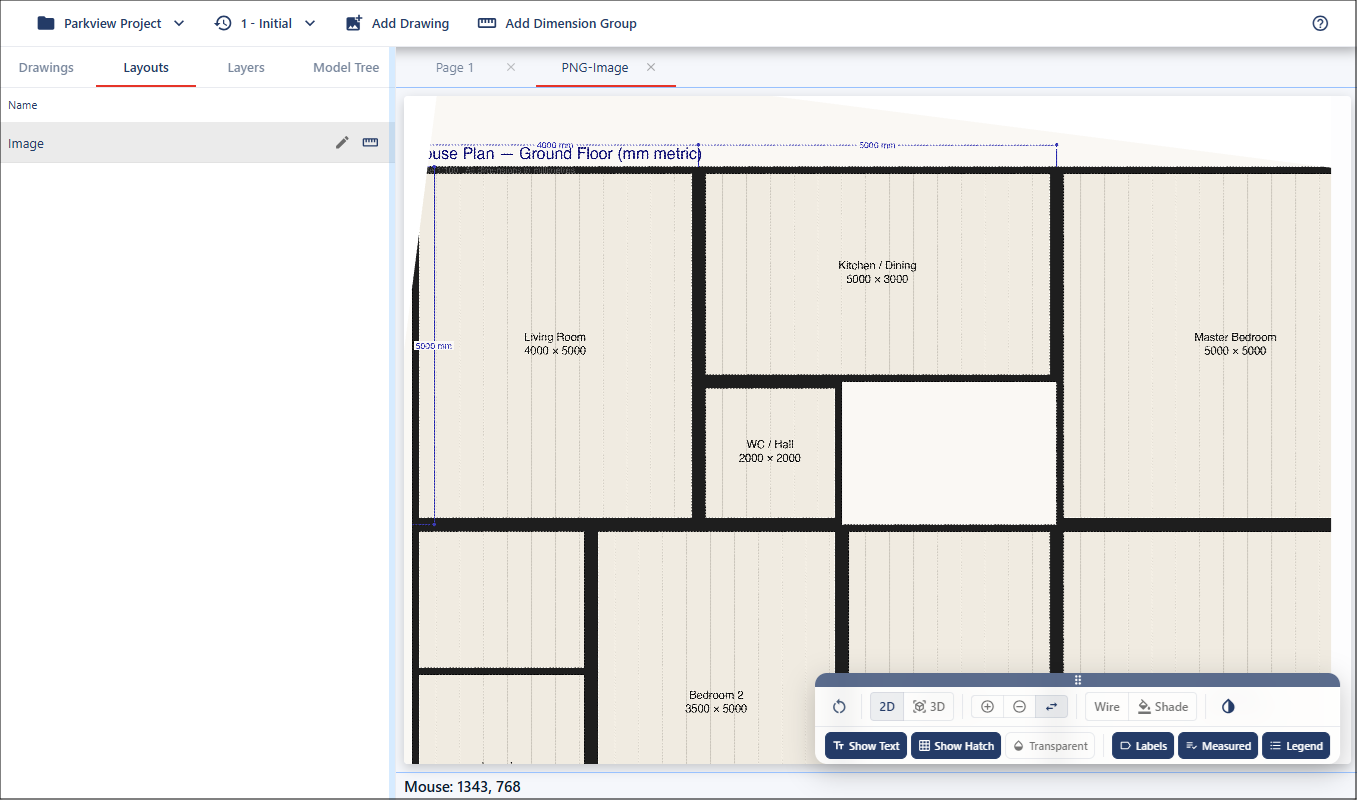
Figure 5 - Aligned drawing